
Download Zyft – AI Shopping Companion, Free Price Comparison Tool
Overview of Zyft – AI‑Powered Shopping Companion
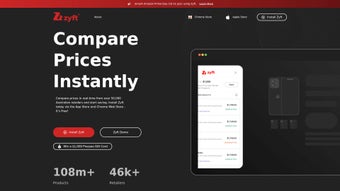
Zyft is a modern, AI‑driven shopping assistant that aims to make both online and in‑store purchasing faster, cheaper, and more transparent. Built around a powerful price‑comparison engine, Zyft instantly scans dozens of Australian retailers the moment you land on a product page, delivering a clear list of lower‑priced alternatives, stock availability, and historical price trends. The service is offered as a free iOS app and a Chrome extension, allowing users to stay within their preferred browsing environment while still benefiting from real‑time data.
One of Zyft’s standout capabilities is “ZyftZap,” a barcode‑scanning feature that lets shoppers point their phone at a product in a physical store and instantly see how the same item is priced online, helping users decide whether to buy in‑store or wait for a better deal. Although the platform currently focuses on the Australian market and does not support every web browser, its intuitive interface, quick response times, and comprehensive retailer coverage make it a valuable tool for anyone looking to stretch their shopping budget. Whether you’re hunting for electronics, fashion, home goods, or groceries, Zyft aggregates data from major chains, discount outlets, and niche boutiques, presenting the information in a clean, sortable table that highlights the best deal at a glance.
The free‑to‑use model, coupled with regular AI‑enhanced updates, ensures that shoppers always have access to the latest promotions, coupon codes, and price‑drop alerts without the need for multiple tabs or manual price checks. In addition, Zyft respects user privacy by processing search queries locally before contacting its servers, meaning personal purchase histories are never stored or sold. All of these factors combine to create a seamless, secure, and cost‑effective shopping experience that can save users anywhere from a few dollars to a substantial percentage of their total spend.
Features, Benefits, and Real‑World Pros
Zyft’s feature set is designed to tackle the most common pain points that shoppers face today. By leveraging machine‑learning algorithms, the platform can match product titles across a wide range of retailers, even when the listings use slightly different naming conventions or SKU formats. This intelligent matching reduces false negatives and ensures that you’re presented with the most relevant alternatives.
The tool also includes a robust set of filters that let you narrow results by price range, brand, shipping cost, or even specific retailer preferences. For users who like to keep an eye on price trends, Zyft provides historical price graphs that visualize fluctuations over weeks, months, or years, helping you determine the optimal moment to buy. Push notifications keep you informed about price drops on items you’ve saved to your watchlist, while the “Buy Now” button takes you directly to the retailer’s checkout page, cutting down the steps required to complete a purchase.
Security is baked into the architecture: all data transmissions are encrypted, and the app never shares personal identifiers with third‑party advertisers. Below is a detailed list of the most impactful capabilities Zyft offers.
- AI‑powered real‑time price comparison across >200 Australian retailers.
- ZyftZap barcode scanner for instant in‑store vs. online price checks.
- Historical price tracking with visual graphs to identify true discounts.
- Deal alerts and push notifications for price drops on saved items.
- Free iOS app and Chrome extension with seamless integration into browsing workflow.
- Product availability indicator showing stock levels at competing stores.
- Secure data handling – no personal purchase history is stored or sold.
- Customizable filters (price range, brand, shipping cost) for refined searches.
- One‑click “Buy Now” links that redirect to the lowest‑priced retailer.
- Regular AI updates that improve matching accuracy and add new retailers.
Why Users Love Zyft – Key Pros
- Time‑saving automation: Eliminates the need to open multiple tabs to compare prices manually.
- Cost efficiency: Finds lower prices and hidden deals, often saving users 10‑30% on purchases.
- User‑friendly design: Minimalist UI, clear tables, and intuitive barcode scanning make the tool approachable for all ages.
- Free forever: No hidden subscription fees; premium features are planned but the core functionality remains free.
- Secure and private: Operates without storing personal shopping data, respecting user privacy.
- Local focus: Tailored specifically for Australian retailers, giving more accurate results than global price‑compare services.
- Continuous AI learning: The algorithm improves over time, reducing false matches and expanding retailer coverage.
Installation, Usage Instructions, and Compatibility
Getting started with Zyft is straightforward, whether you prefer the mobile app or the Chrome extension. Below is a step‑by‑step guide that covers both platforms, followed by a quick look at the operating systems supported. In addition to the basic installation steps, we’ll provide some best‑practice tips to help you configure notifications, set up watchlists, and make the most of Zyft’s advanced filtering options.
Chrome Extension Installation
- Open the Chrome Web Store and search for “Zyft – AI Shopping Assistant.”
- Click “Add to Chrome” and confirm the permission prompt.
- Once installed, a small Zyft icon appears in the browser toolbar.
- Navigate to any product page on a supported retailer website; the Zyft icon will automatically highlight a comparison bar at the top of the page.
- Click the bar to view a sortable list of alternative offers, price history, and a direct “Buy Now” link to the cheapest option.
- Optional: Pin the extension for quick access and enable push notifications for price‑drop alerts via the extension’s settings menu.
- Tip: Use the filter icon within the comparison bar to narrow results by shipping cost or preferred retailers.
- Tip: Save items directly from the comparison bar to your “Watchlist” for continuous monitoring.
iOS App Installation
- Open the Apple App Store on your iPhone or iPad.
- Search for “Zyft Shopping AI” and tap “Get.”
- Allow the app to access your camera if you plan to use ZyftZap barcode scanning.
- Launch Zyft, create a free account (or skip for guest mode), and grant location permissions to improve retailer relevance.
- Use the built‑in search bar to look up products, or tap the camera icon to scan a barcode in‑store.
- Save items to your “Watchlist” to receive instant price‑drop notifications.
- Tip: Enable “Background App Refresh” in iOS settings so Zyft can push alerts even when the app is closed.
- Tip: Explore the “Price History” tab to see how a product’s price has moved over the past six months.
Supported Operating Systems
Zyft is currently optimized for the following platforms:
- Google Chrome (Windows 10/11, macOS 10.15+, Linux)
- Apple iOS 13 and later (iPhone, iPad)
- Future Android app is planned but not yet released.
While the extension works best on Chrome, the underlying AI engine can be accessed via any modern browser; however, full feature parity (e.g., automatic price‑bars) is limited to Chrome at this time. Users on Safari, Edge, or Firefox will still benefit from the Zyft website’s manual price‑compare tool, though the seamless integration is reserved for Chrome.
Frequently Asked Questions
Below you will find answers to the most common questions about Zyft. These responses address everything from pricing and geographic coverage to data security and platform support, helping you decide whether this AI‑driven tool fits your shopping workflow.
Is Zyft completely free to use?
Yes, Zyft offers its core price‑comparison, barcode scanning, and price‑history features at no cost. The developers have announced plans for an optional premium tier that will add advanced analytics, but the free version remains fully functional for everyday shoppers.
Can I use Zyft outside of Australia?
Currently, Zyft’s retailer database focuses on Australian stores, so price comparisons are most accurate within that market. International users can still browse the app, but the coverage will be limited and some features, like ZyftZap, may not return results for non‑Australian barcodes.
How does Zyft protect my personal data?
Zyft adheres to strict privacy standards: it does not store your purchase history, and all browsing data is processed locally before being sent anonymously to the AI engine for price lookup. The app does request permission to send push notifications, but you can disable them at any time.
What browsers are supported for the extension?
The full‑featured Zyft extension is officially supported on Google Chrome. While a limited web version works on other browsers, automatic price bars and instant alerts are exclusive to Chrome at present.
How accurate are the price‑history graphs?
Zyft aggregates historical pricing data from retailer APIs and web crawls. The AI model normalizes fluctuations caused by sales events, currency changes, and stock clearance. While no system is 100 % perfect, users report that the graphs reflect real market trends within a 2‑3 % margin of error.
Will Zyft work on Android devices?
An Android version is in the development pipeline but has not yet been released. In the meantime, Android users can access the web‑based version of Zyft via any mobile browser, though some features—such as the native barcode scanner—will be unavailable.
Conclusion – Maximise Savings with Zyft Today
If you’re tired of hopping between retailer sites, missing out on flash sales, or overpaying for everyday items, Zyft offers a fast, secure, and completely free solution that puts AI‑driven price intelligence at your fingertips. By installing the Chrome extension or the iOS app, you’ll instantly gain access to a powerful comparison engine, barcode‑scanning “ZyftZap,” and real‑time deal alerts that can shave up to a third off your shopping bill. The tool’s localized focus on Australian retailers ensures that the results are both relevant and reliable, while the commitment to privacy means you can shop with confidence. Don’t let hidden price gaps erode your budget—download Zyft now, start scanning, and watch the savings stack up.
Pros:
- Instant multi‑retailer price comparison.
- Free with no hidden fees.
- Barcode scanner for in‑store checks.
- Clear price‑history visualisation.
- Secure, privacy‑first architecture.
Cons:
- Limited to Australian retailers.
- No Android app yet.
- Full features only on Chrome.



.png)



